
Zone and grow
Zone homes, shops and factories, then watch them grow through five stages as your city meets their needs.
A city simulation for iPhone & iPad

Build something wonderful.
You have a plot of wilderness, $20,000 in the treasury and the boundless optimism of people who have never seen you run anything. Lay the roads, string the power lines and zone the land. Watch a village become a town, and a town become a city.
Download on the App StoreC:\> For iPhone and iPad, including iPhone Duo.
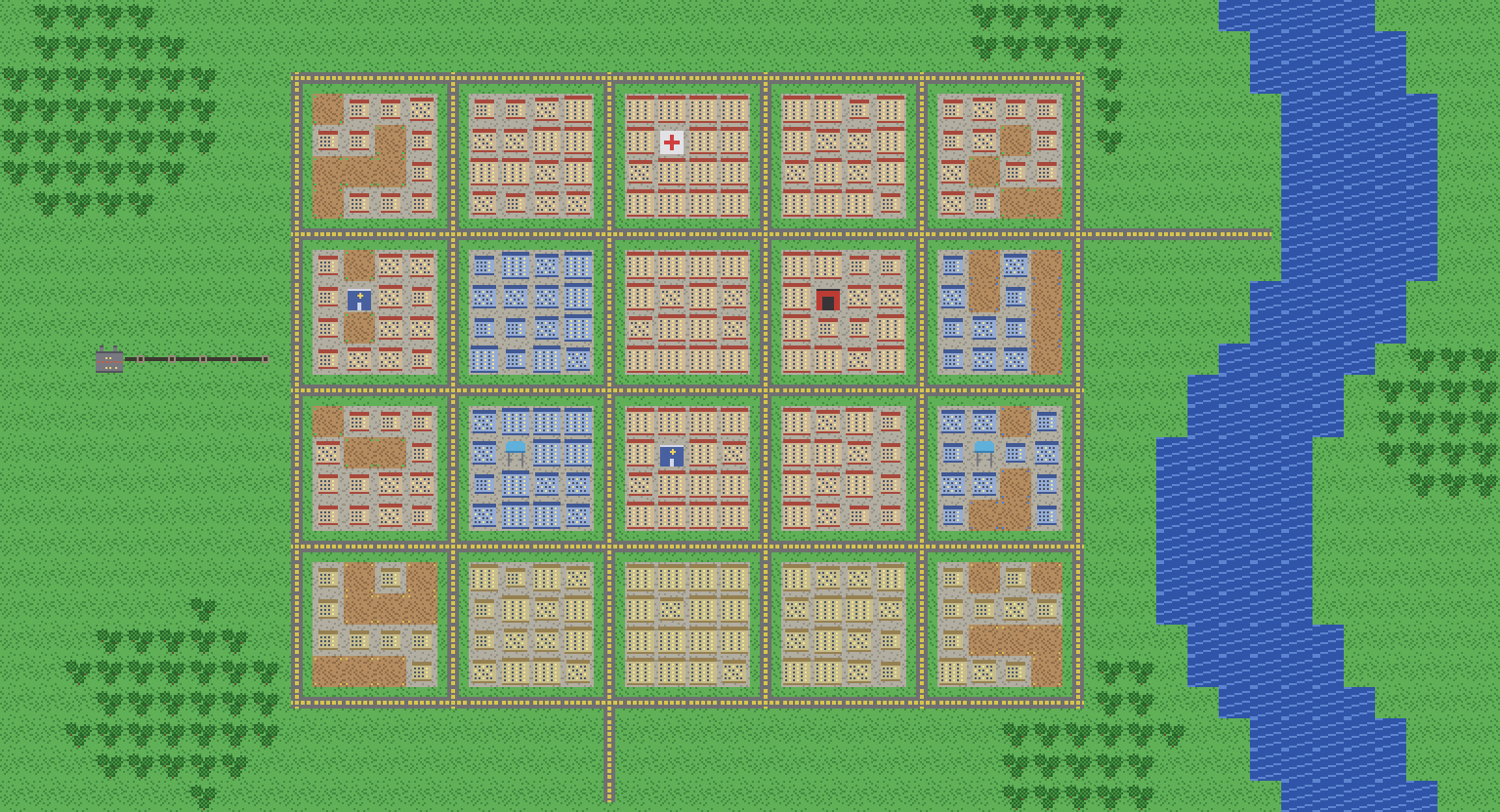
Everything you loved about classic city builders, sized for the device in your hand.
Zone homes, shops and factories, then watch them grow through five stages as your city meets their needs.

Build plants, string power lines and raise water towers. Nothing grows without them.

Police, fire and hospitals cover the city in circles of protection. Data maps show every gap.

Classic brings fire, crime and livability limits. Simple turns them off and rewards good services with a tax bonus.

Stuck? Your advisor explains what's holding the city back, and Show Me takes you straight to the problem.

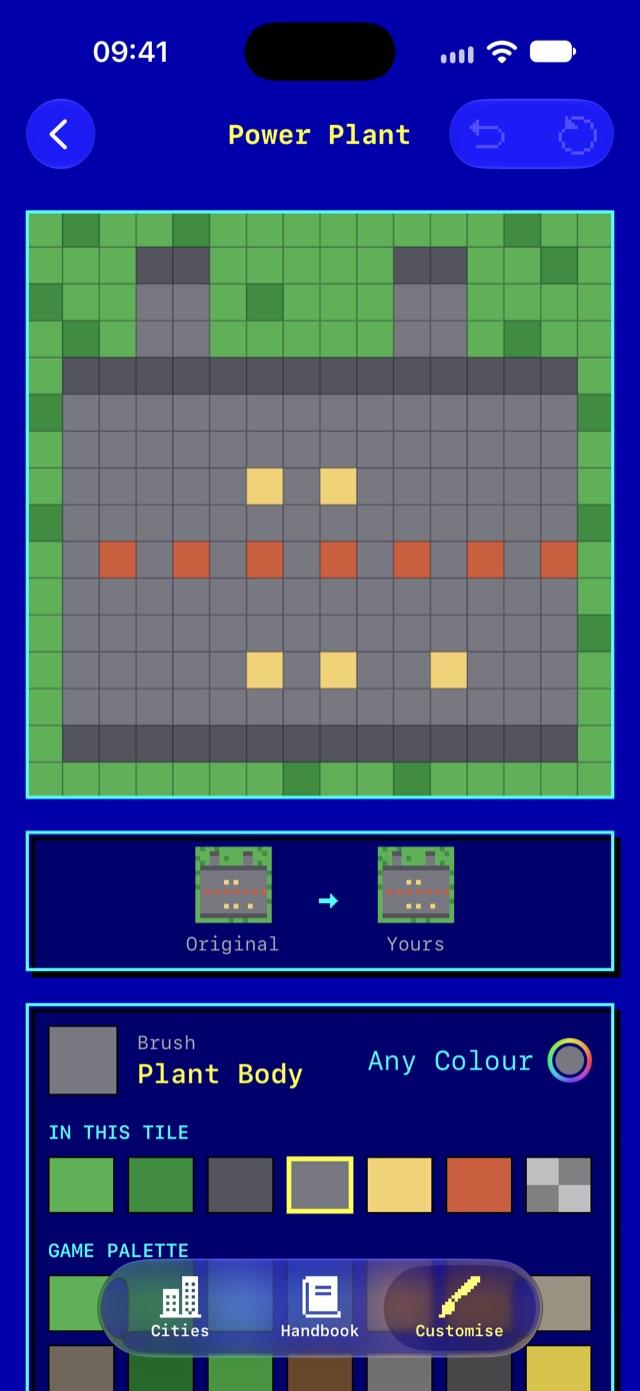
Chunky pixel art, a procedural 8-bit soundtrack and a Customise tab where you can repaint any tile, pixel by pixel.
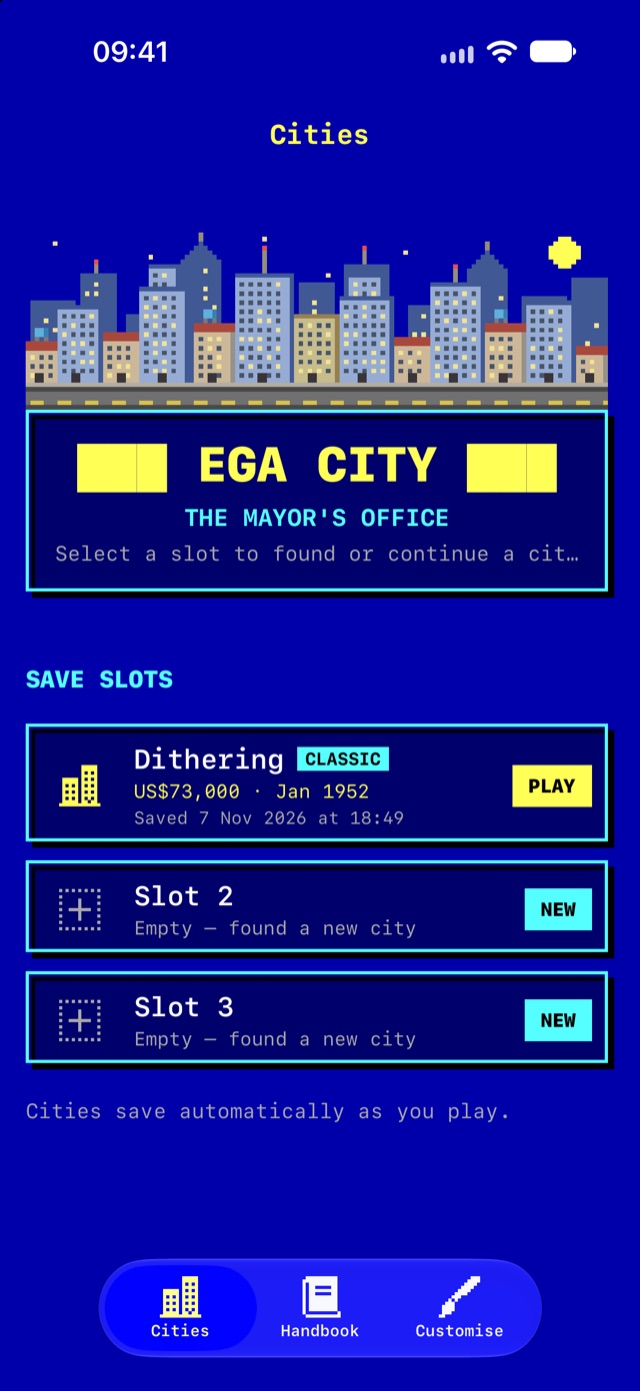
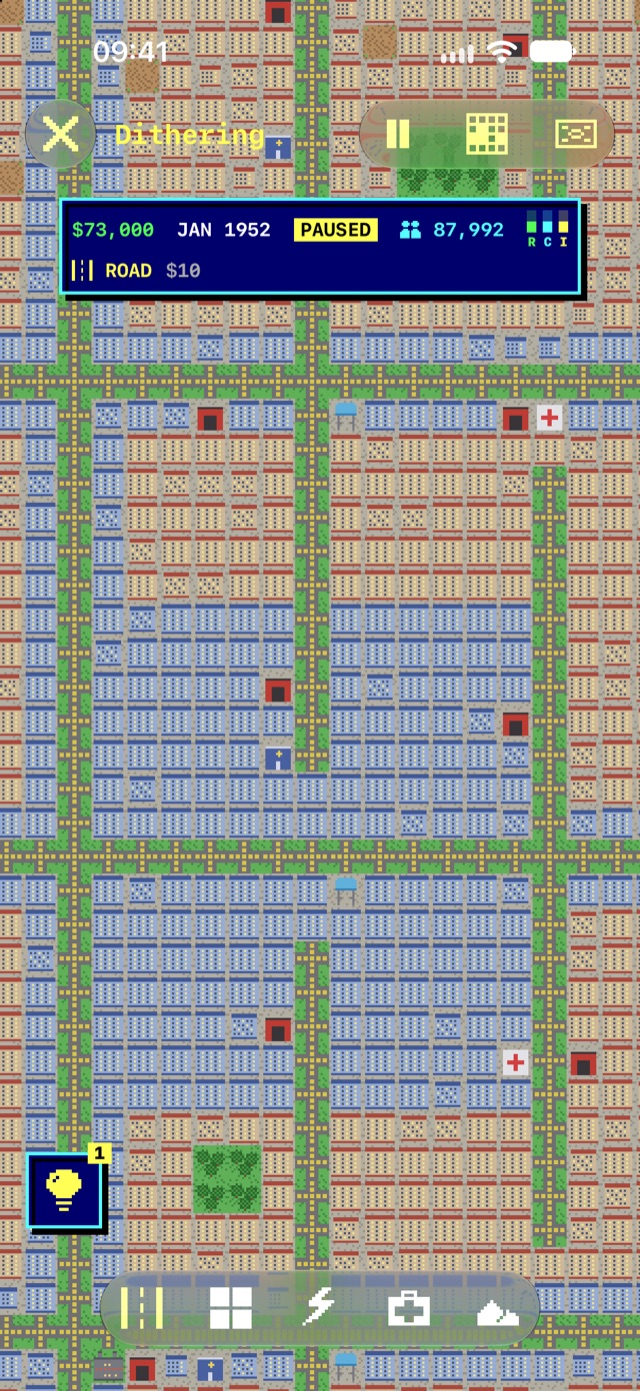
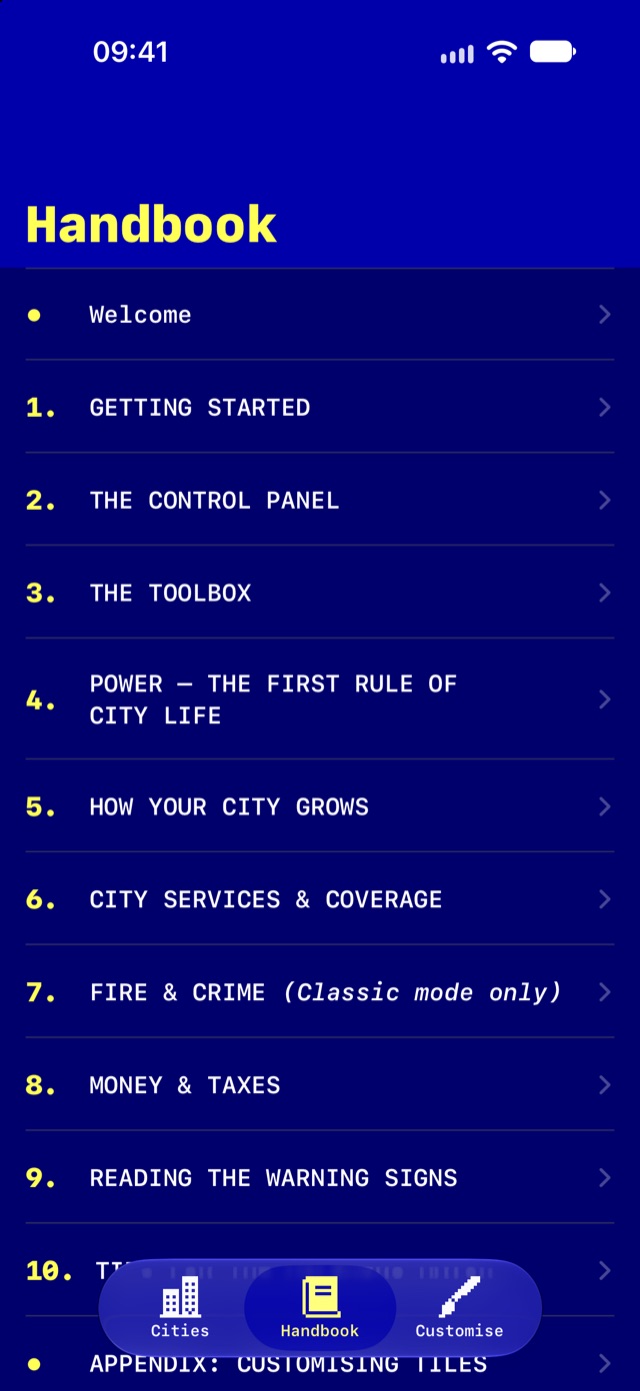
Please read this manual before assuming office. The full handbook is also inside the app.
The app opens on three tabs: Cities, your three save slots; the Handbook; and Customise. Tap an empty slot to found a new city, or a saved one to continue. Swipe a slot left, or touch and hold it, to delete it. Cities save automatically as you play.
| Mode | Rules |
|---|---|
| CLASSIC | The full game. Zones can catch fire, crime takes hold where police are thin, and poor police and health coverage limits how big a district grows. |
| SIMPLE | No fires, no crime and no livability limits. Police and hospitals earn a tax bonus instead. |
The mode is fixed for the life of each city. Every city starts in December 1981 with $20,000 and a freshly generated 120 × 100 map of grass, water and forest. Reopen a city and the map is framed just as you left it.
The status panel shows your treasury, the date, population, the R/C/I demand bars and your current tool and its cost.
Taxes, growth and disasters happen only while the clock runs. When in doubt, pause and plan.
Costs come out the moment you place a tile. If you can't afford it, nothing happens.
| Tool | Cost |
|---|---|
| Bulldoze | $1 |
| Road | $10 |
| Residential, Commercial, Industrial zone | $100 |
| Power Line | $5 |
| Power Plant | $3,000 |
| Land, Water, Forest | Free |
| Service | Cost | Upkeep | Radius |
|---|---|---|---|
| Water Tower | $500 | $40/yr | 9 |
| Police | $500 | $100/yr | 11 |
| Fire Station | $500 | $100/yr | 11 |
| Hospital | $1,000 | $150/yr | 13 |
Zoning only designates land. Buildings appear on their own once their needs are met. Service buildings need power and a road within 3 tiles before they cover anything.
A zone grows through five stages, from an empty lot to level 4, only when all four of these are true:
A plant powers up to 350 connected tiles. Power flows through lines, zones, service buildings and plants, but not roads. To cross a road, string a power line over it.
Homes want jobs, shops want people, and industry has export demand from day one. Zone industry and homes together to get started.
CLASSIC Districts with poor police and health coverage stop at level 2 until you provide those services.
Each service covers a circle, strongest at the centre. Pick a service tool or open Data Maps to see coverage: green where covered, red where not.
A service building only works with power and a road within 3 tiles. Until then it covers nothing, but you still pay its upkeep. One with no zones in range flashes a sleepy Zz. Tap a service building to see its status: Working, Idle, No Power or No Road.
Buildings with weak fire coverage can catch fire. A flame marker gives you about four months to act. Crews put it out automatically where coverage is good, or tap the building twice to extinguish it yourself for $25. Leave it and it burns to rubble.
Where police coverage is weak, crime builds slowly. With no police at all a building falls in about ten years. Halfway there it flashes a mask; after that it's abandoned and won't rebuild until police bring crime back down.
Open the Crime data map to find trouble spots: green is clean, amber is rising, red is abandoned. Simple mode has no fire or crime.
The books are balanced every January, starting once your city is a year old:
Income = Tax rate × (Population + Jobs) × 0.7
         × (1 + Service Bonus)        <- Simple only
Costs  = roads $1 each + plants $100 each
         + service upkeep
Set your tax rate on the Budget screen: 7% by default, up to 20%.
Up to 9%, nobody minds. Above that, resentment builds month by month and new homes fill more slowly; at 20% for long enough, nobody moves in. Lower taxes and it fades three times as fast. Check Resident Mood on the Budget screen.
Every building covered by both police and a hospital counts toward coverage. At 100% coverage, tax income rises by 20%; at 50%, by 10%.
Zones and service buildings flash an icon when something is wrong. If several things are wrong, the marker cycles through them.
| Icon | Meaning | Fix |
|---|---|---|
| Lightning bolt | No power | Run a line or build a plant |
| Water drop | No water | Build a Water Tower in range |
| Road badge | No road within 3 tiles | Lay a road nearby |
| Blue shield | No police | Build a Police Station |
| Red cross | No health | Build a Hospital |
| Flames | On fire! | Tap twice, or rely on fire crews |
| Zz | Service with no zones in range | Zone nearby, or bulldoze it |
| Mask | Crime taking hold, or abandoned | Build a Police Station in range |
Every graphic in EGA City is drawn in code, and the Customise tab lets you repaint any tile, building or warning icon.
Changes save as you paint and show up in every city. Undo steps back a stroke, Reset Tile restores one tile, and Reset All Tiles restores them all. Painted tiles are marked with a yellow brush.
Effective 6 November 2026
In short: EGA City doesn't collect, store or share any of your personal data. Your cities and settings stay on your device. There are no accounts, no analytics, no advertising and no tracking.
EGA City ("the app", "we", "us") is a city-building game for iPhone and iPad, published by Chris Barker. This policy explains how the app handles information. It applies to the EGA City app and this website.
None. EGA City does not collect personal information. The app doesn't connect to our servers or anyone else's, doesn't require an account or sign-in, and contains no analytics, tracking, crash-reporting or advertising software.
EGA City doesn't ask for access to your location, contacts, photos, camera, microphone or any other personal information. Its music and sound effects are generated on your device.
If you download or buy EGA City, the transaction is handled by Apple through the App Store. We don't receive your payment details. Apple's handling of your information is covered by Apple's Privacy Policy.
EGA City is suitable for players of all ages. We don't knowingly collect information from anyone, including children.
Because everything is stored on your device, you're always in control. Delete a city from its slot on the Cities screen, or delete the app to remove everything it stores.
If we change how EGA City handles information, we'll update this page and the effective date above.
Questions about this policy? Get in touch on X at @MrChrisBarker.